
Mary Parrish
Mobility Virtual Assistant (MVA)
2020 – 2022 / Mobile and Desktop Application Design and Mechanical Engineering
My Responsibilities:
UX/UI Designer, Graphic Designer, Mechanical Engineer, Project Manager
Scope:
2020 – 2022
My Tools:
Adobe Photoshop, Illustrator, & Adobe XD, Figma
SolidWorks CAD
Microsoft Office
Overview
I originally worked on this program as a mechanical engineer and program manager to help in user testing, component design, and algorithm testing and validation. The software developer was changed midway through the program and the company needed a UX/ UI developer to quickly create high fidelity mockups of the intended design, before handing off to the developer. I jumped in and filled this role and learned a lot of UX/UI skills and tools along the way.
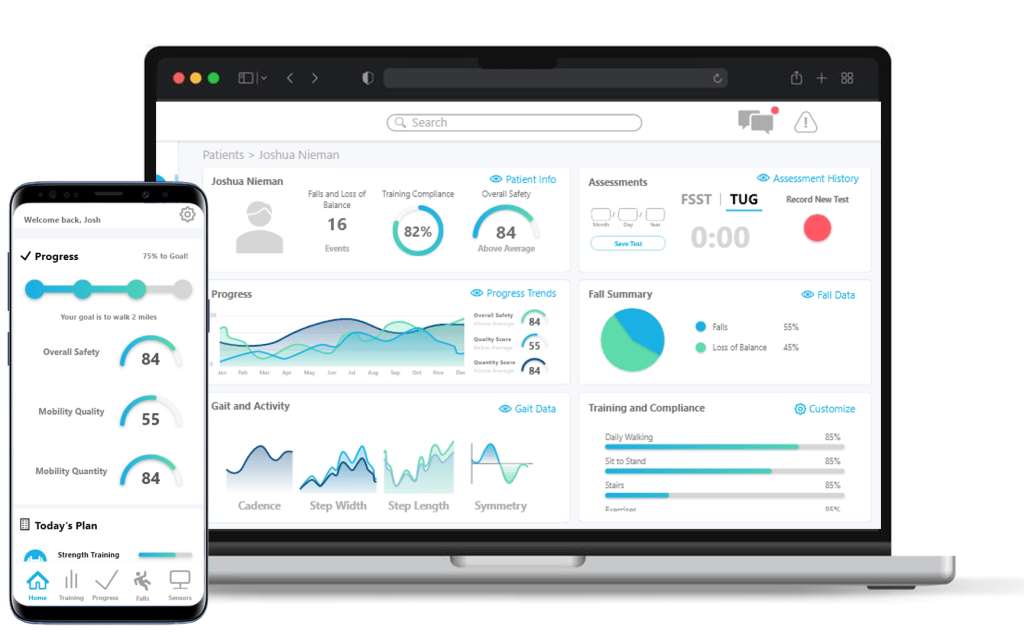
CRG’s team developed the Mobility Virtual Assistant (MVA) – a wearable sensor system aids patients with lower limb amputations or mobility issues. It includes a smartphone app for patients to monitor gait quality and balance, and a web app for clinicians to track patient progress.
Due to contractual limitations, specific details are restricted. Below, I’ll detail my contributions to this project within the bounds of confidentiality.
Our Process
We followed Jake Knapp’s Design Sprint method at the beginning of the program to answer critical questions regarding the potential solution in a short (but comprehensive) five-day experience. Mid-pandemic, this was all done remotely using Miro. Our week kind of looked like this:
- Monday (Map): We identified our long term goal, some sprint questions to keep in mind throughout the week, some “How-Might-We’s,” and mapped out some journeys for the physician and the patient.
- Tuesday (Sketch): We found relevant literature, devices on the market that could be integrated into the system, or mobile apps that have similar features we might need to include. At the end of the day we all separately sketched potential solutions for the patient and clinician in a 4-step user journey.
- Wednesday (Decide): We went through all of our sketches and discussed in detail which features we liked or disliked about each concept. We took our questions from Monday, and decided what we needed to make in order to ask our customers the right questions.
- Thursday (Prototype): We spent the day working in Miro and Figma to make some pretty quick low-fidelity prototypes to show potential customers.
- Friday (Test): We interviewed physicians and clinicians all day, and showed them the low-fidelity prototypes. We gathered a ton of qualitative data from these interviews without influencing them about what we thought we should do.

This qualitive data ultimately led to some quantitative data when we followed up with a survey about some more questions we had. While I can’t share details of the discoveries made during this research period, my roles in response to them are outlined below.
Mechanical Engineer
With the initial interviews with prosthesis users and physical therapists the following design requirements were determined:
- Easy to use (both the app and the wearables)
- Easy to charge
- Lightweight
- Unnoticeable aesthetically and physically
- Affordable
I researched some commercial-off-the-shelf (COTS) parts to find some affordable options for strapping the sensors to the body. There were some soft fabric and Velcro options that I tested, but were unsuitable as they created too much noise for the algorithms to accurately classify the user’s activity (walking, running, sitting, etc.).
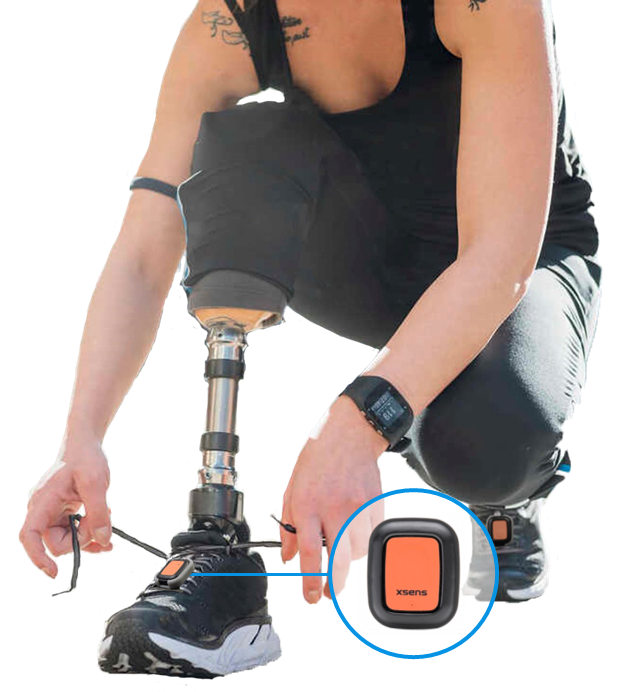
Because a COTS option wasn’t suitable, I used SolidWorksCAD to design a clip-on mechanism for the inertial measurement units (IMU). These models were 3D-printed and used in initial user testing cases. They were designed to be lightweight with a low profile so that the user isn’t burdened by the extra device on their shoes or belt. They were also designed for ease of use (installing and uninstalling) and to be compatible with various charging methods. The clip design is shown attached to the person’s shoes.
The rest of my engineering duties involved user testing and validation. While I can’t disclose the details of these activities, in general it involved designing tests for able-bodied users to wear the device and validate the algorithms developed by other members of the team.
UX/UI Designer
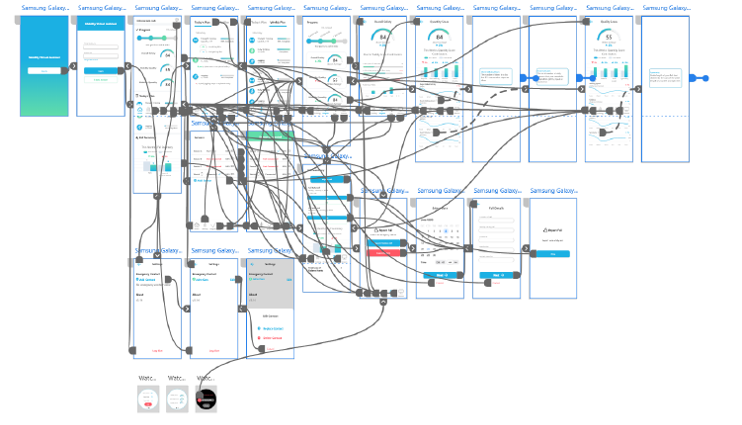
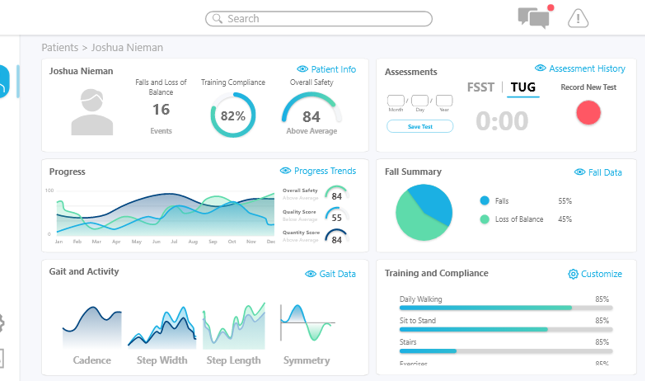
I designed the mobile application the patient uses to interact with the IMU data. This included login and setting screens, application tutorials, fall risk score display screens and explanations, historic data and trends, and progress tracking. The user flow is aesthetically pleasing and easy to use, with older populations being considered at the forefront as the intended user audience. I also led the design of the clinician web application that the physical therapist will use when interfacing with the patient to conduct various tests. I used Adobe XD and Illustrator for this effort.
Due to the nature of the contract we were working under, and CRG’s own proprietary restrictions, I cannot provide the high-fidelity mockup I generated for demonstrating user flow.
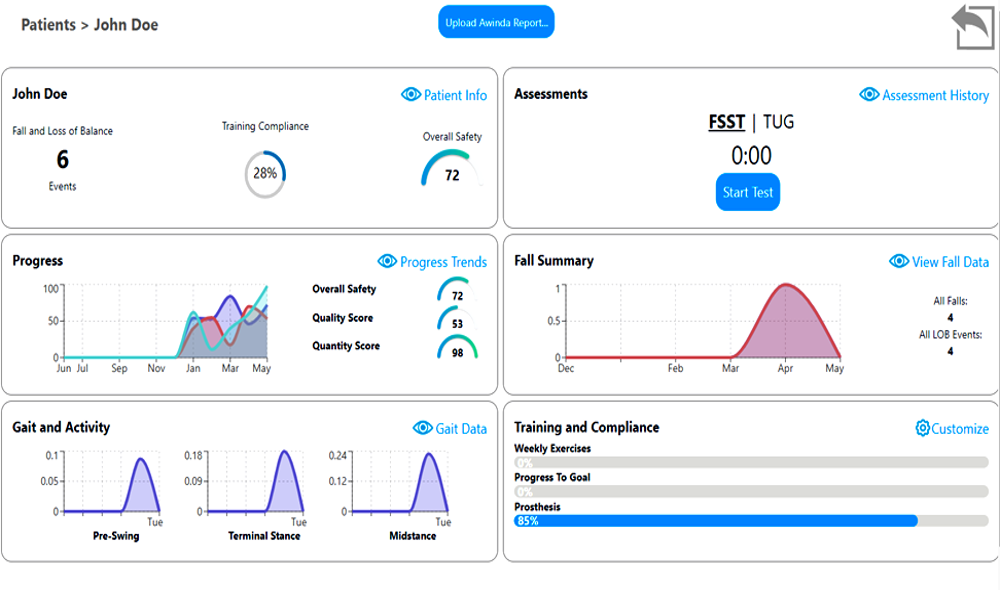
All screens were handed to an out-of-house software developer. Their main focus was implementing the complex activity classification algorithms that made the app do what it was designed to do. By the time the developer got to implementing my designs we were significantly limited by the budget.
This is when I learned that the transition from pretty UI mockups to fully developed screens weren’t always a 1-1 match.
Use the slider below to see the difference between my first ever UI mockup and the initially developed screen. If the project is picked up by a commercial partner, we can spend more time developing more aesthetically pleasing and user-friendly screens.
Graphic Designer
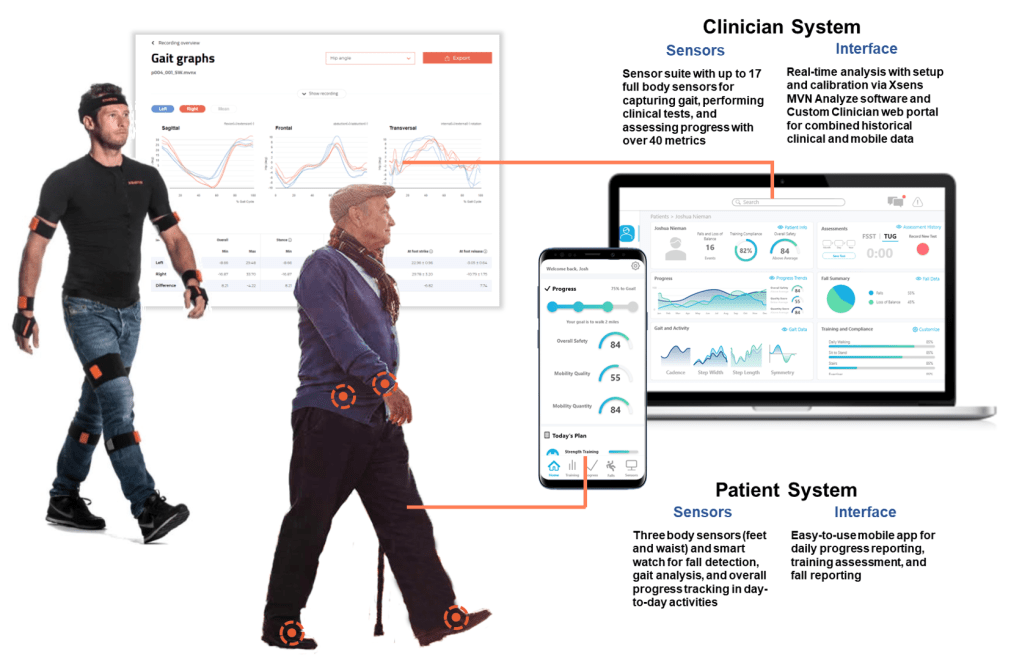
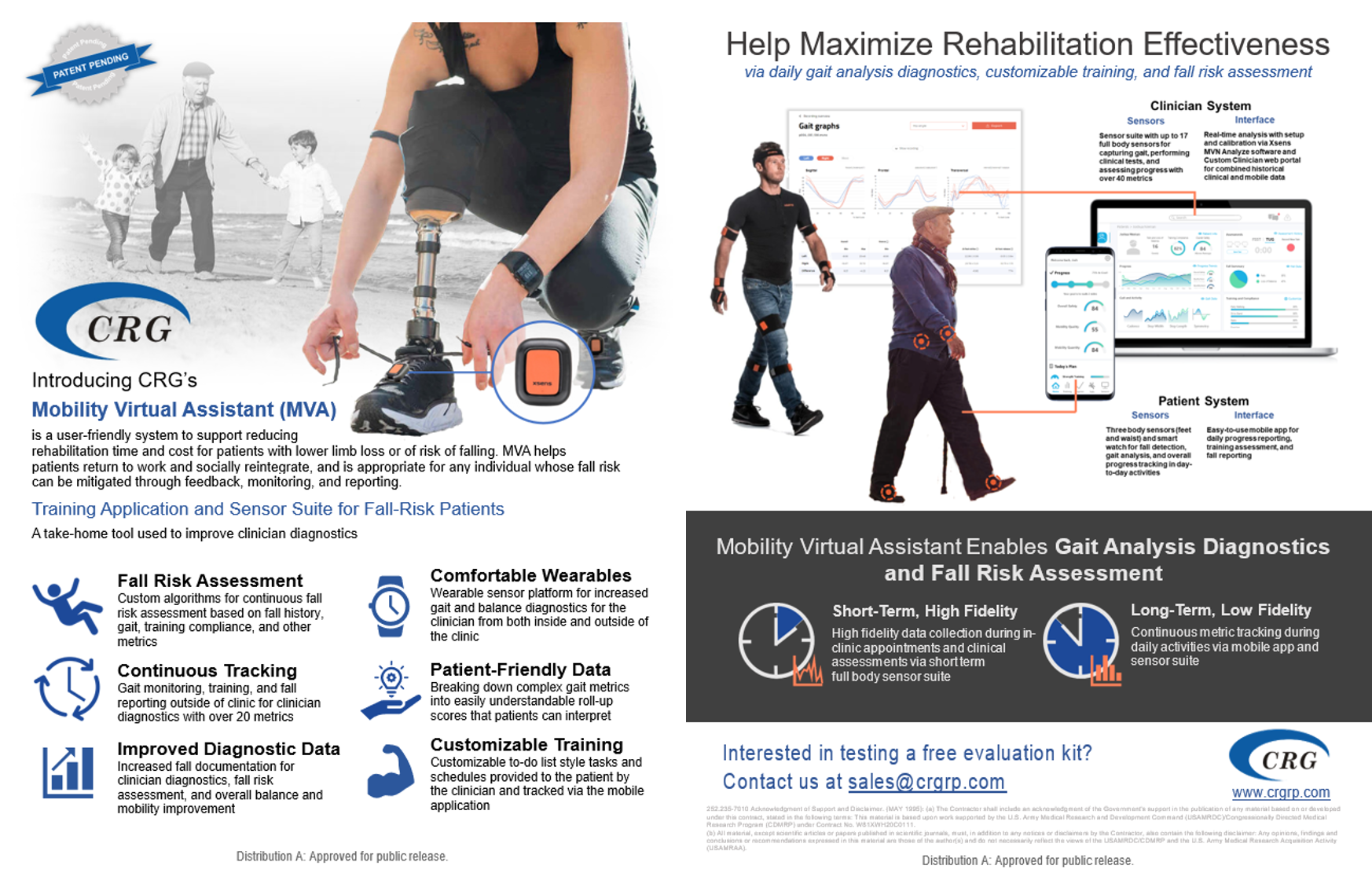
In addition to the graphic design skills needed in the mobile and web application design, I also put together this technical information sheet for demonstration at a tech conference using Adobe Photoshop and Illustrator.
After making this information sheet for a tech conference, managers within the company approached me to make tech sheets for the various technology applications CRG is working on. This design is now used as a mandatory deliverable at the end of each program. More of this topic can be seen in my other case study: A Defense Company’s Website Redesign.
(The tech sheet shown here has been approved for public release.)
Lessons Learned
- How to make functional mockups (and I loved it!)
- I discovered the art of crafting functional mockups, and it turned out to be an incredibly enjoyable experience. This marked my initiation into the realm of UX/UI design, primarily through Adobe XD. Engaging in this process became so absorbing that I often found myself immersed in creating mockups for hours, completely oblivious to the passage of time.
- Despite my newfound passion, I want some real guidance from seasoned professionals, as I am currently the sole UX/UI designer on my team. The prospect of being mentored by someone with extensive expertise in the field is both exciting and crucial for my growth. I am eager to learn industry-standard practices that will not only enhance my skills but also facilitate a seamless transition from mockups to development.
- The importance of flexibility
- The significance of adaptability became glaringly evident during this project where all app and web development tasks were outsourced to subcontractors. Unfortunately, due to managerial issues on their end, they were unexpectedly cut off midway through the program. Faced with this unforeseen challenge, we found ourselves in a situation where we had to swiftly commission new mockups for handover to a different developer. In this critical moment, the flexibility I brought to the table played a pivotal role. I consider CRG fortunate that I not only had an interest in learning the necessary skills but was also agile enough to initiate the process promptly. Simultaneously, I felt fortunate that CRG provided me with the opportunity to explore and develop these skills on their resources. This experience not only proved beneficial in the immediate context but also opened doors for both CRG and me in subsequent projects.
 MARY PARRISH